
16/May/2016:
- I’m moved everything under: https://github.com/stefanutti/maps-coloring-python
- Before it was on SourceForge

01/Nov/2016:
- Around this date, I started experimenting a new method based on Kempe’s chains. Read the blogs I published starting from this post
I have implemented a Python algorithm that goes really fast coloring the edges of a planar graph.
See this video and then try it youself!
Note about the Python program: To try the Python program you need to have Sage. Follow Sage instructions to install it on your computer: http://www.sagemath.org.
This section is dedicated to the Java program I use to analyze maps.
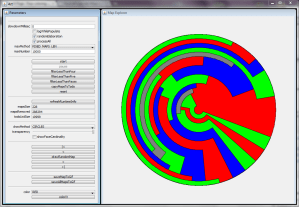
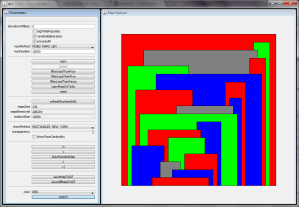
Snapshots of the java application:
Downloads:
To download the software and the source code of the project go to the SourceForge site:
https://github.com/stefanutti/maps-coloring-java
Youtube channel (see it in action):
http://www.youtube.com/user/mariostefanutti
Documentation:
For now (08/Feb/2011) the java software is undocumented. Best way to learn it it to start pushing buttons randomly. 😉 Don’t hesitate to contact me if you need help.
JVM settings for 1.8 (to go a great deal faster than default settings):
- java -Xms1500m -Xmx1500m -XX:+UseParallelGC -jar ct-ui-swixml-2.3-jar-with-dependencies.jar
The information that follows are not valid for the last version of the software. I implemented some code to optimize the generation of maps, such as removing isomorphic maps. For example, enabling this flag generates simplified maps. With maxMethod = F and maxNumber = 12, after filtering out maps with faces with less than 5 edges (“-5” button), it returns just one map.
Just to start coloring some good big maps follow these instructions:
- Run the application using java -jar .jar (java 1.5> and <= 1.8 is needed)
- Switch to maxMethod = F and set maxNumber = 10
- Unset the isomorphic button
- Push start and wait the elaboration to finish
- Filter out all maps that have faces with less than 4 edges (“-4” button)
- At this point you should have 14 maps left
- Browse and color them
- To generate more complex maps you can copy the maps back into the todoList (“.|.” button)
- Set maxMethod = MAPS and maxNumber = 10000
- Push play, wait the end of the elaboration and filter
- …
- filter, play and copy back into the todo list … filter, play and copy …
- …
- After some iterations you can even risk to filter maps with less than 5 edges
Another method is:
- Run the application using java -jar ct-ui-swixml-2.3-jar-with-dependencies.jar (java 1.5> and <= 1.8 is needed)
- Switch to maxMethod = F and set maxNumber = 12
- Unset the isomorphic button
- Push start and wait the elaboration to finish (less than a minute if the java GC has been set properly)
- Filter out all maps that have faces with less than 5 edges (“-5” button)
- At this point you should have 10980 maps left
- Browse and color them
Structure of the project:
- ct-core (core library for generating simplified maps)
- ct-ui-swixml (standalone UI based on swixml an G – execute using java -jar)
- …
 Four Color Theorem